
Deleting API Accounts
To delete an API account:
Click the user icon in the top right and click Admin > Resources.
Click Account Management on the left navigation column.
Click the API Accounts tab.
Click the
 icon next to the account listing you wish to delete.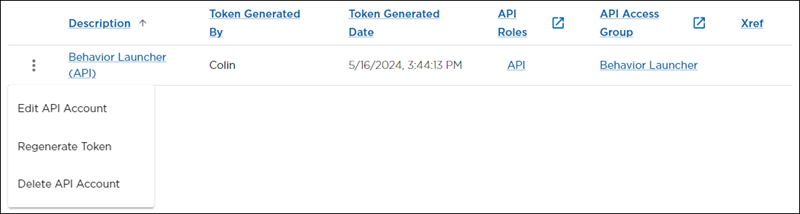
Click Delete API Account. A confirmation prompt appears.
Click Yes, Delete.