
CineLink Properties
After adding a CineLink, you can view and edit details and network settings.
To view details about a CineLink:
Click the user icon in the top right corner and click Admin > Resources.
Click CineLinks on the left navigation column.
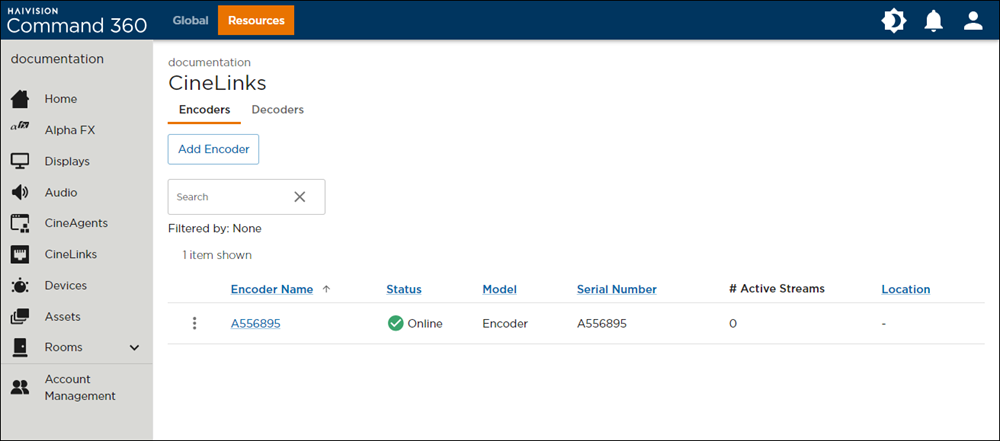
CineLinks Management Page
In the CineLink summary list, click the name of the CineLink you wish to view. The properties panel opens on the right.
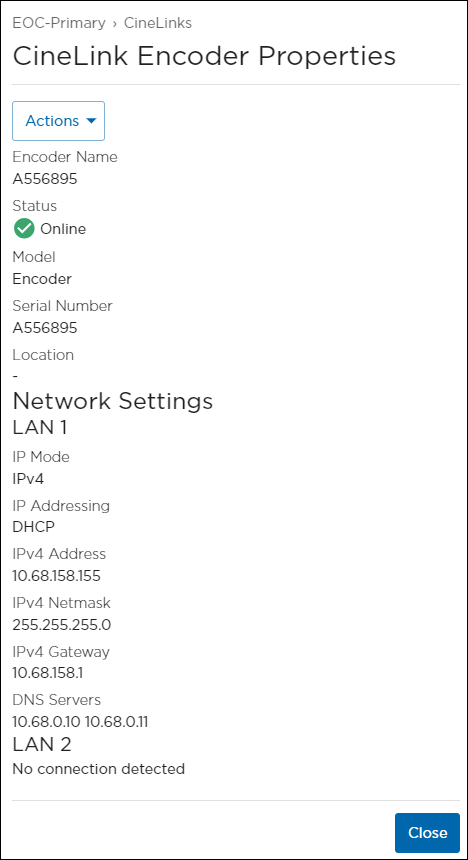
CineLink Encoder Properties Panel
From here, you can:Click the Actions button to edit or release the CineLink.
Click Close when finished.