
Adding Custom Profiles
To add a custom profile:
Click the user icon in the top right and click Admin > Resources.
Click the Devices option on the left navigation column.
Click the Custom Profiles tab.
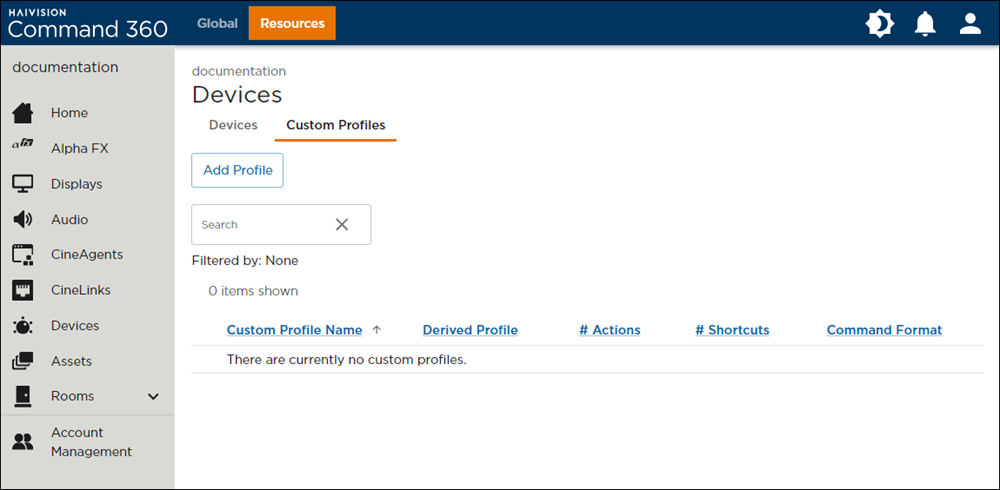
Devices Page with Custom Profiles Tab Selected
Click the Add Profile button. The Add Custom Profile panel opens on the right.
Select a configuration option: Copy From Supported Profile or Start With Empty Profile.
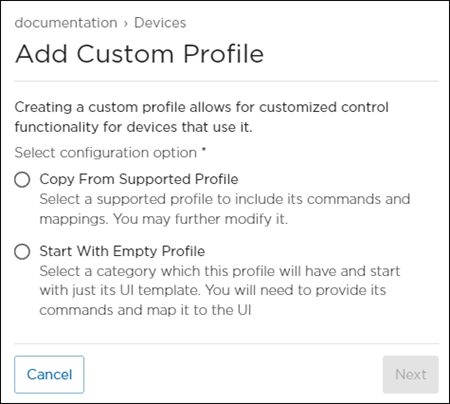
Choose from the tabs below to view instructions for each configuration option.
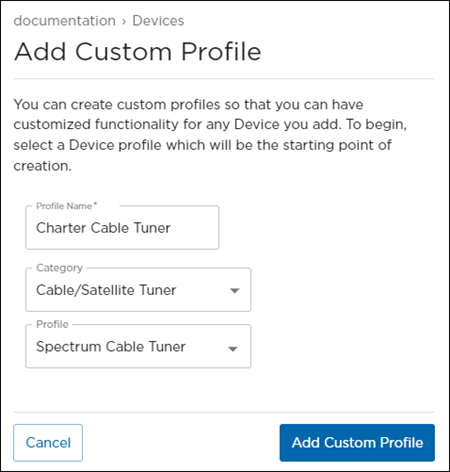
Copy Custom Profile Panel
Enter a Profile Name.
(Optional) Select a device Category.
Select a device Profile similar to the one you are creating. The custom profile derives its initial controls from this.
Note
See Default Device Profiles for supported devices and default port values.
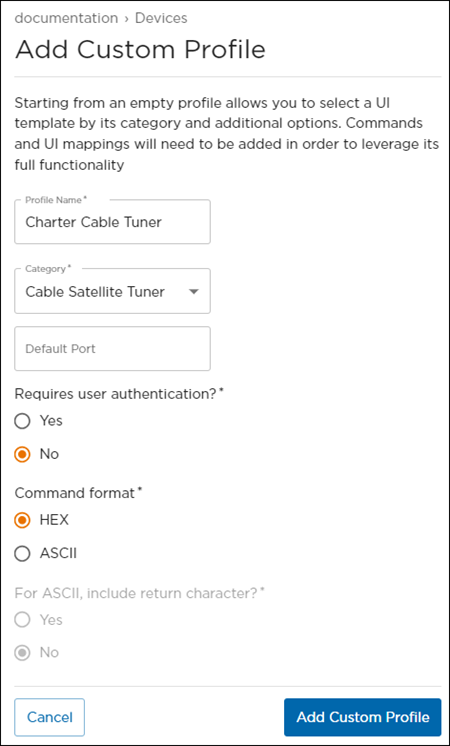
Create New Custom Profile Panel
Enter a Profile Name.
Select a device Category.
(Optional) Enter a Default Port value.
Select whether the device type requires user authentication. If Yes is selected, you will have to enter a username and password when adding the device.
Select the command format: HEX or ASCII.
If the command format is ASCII, select whether to include a return character.
Click Add Custom Profile.

The custom profile is added to the summary table and is ready to be customized.
Related Topics