Downloading Files from the SD Card

Important
Ensure that the SD card is not locked.
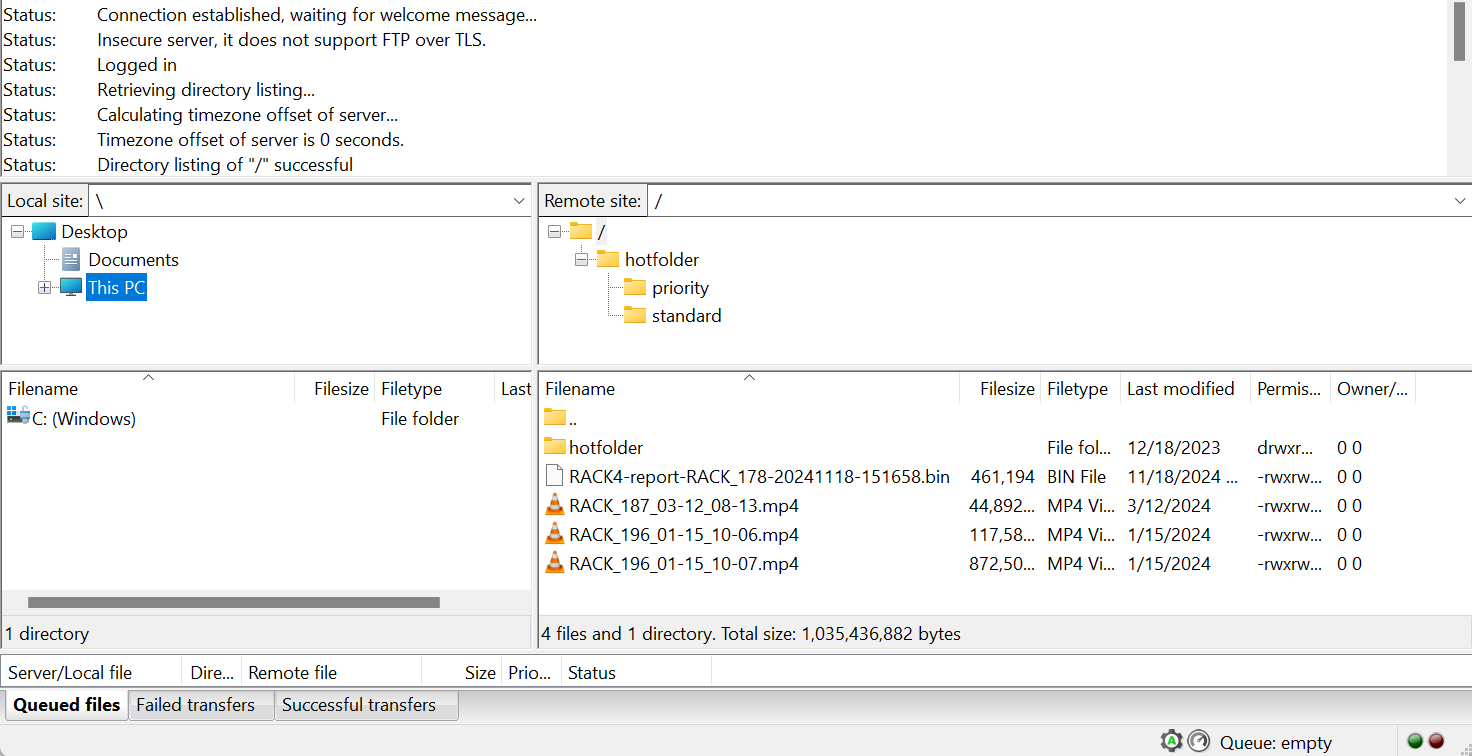
You can download files from the SD card via either the web interface or an FTP client.
Web Interface
In the sidebar, click Media. The SD card files appear:
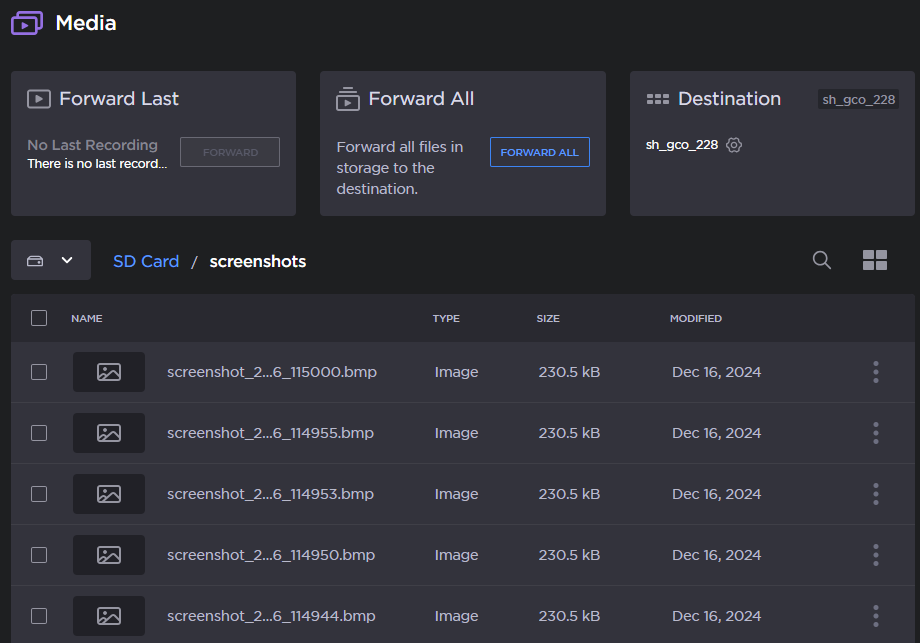
Select the checkboxes next to the files you wish to download.
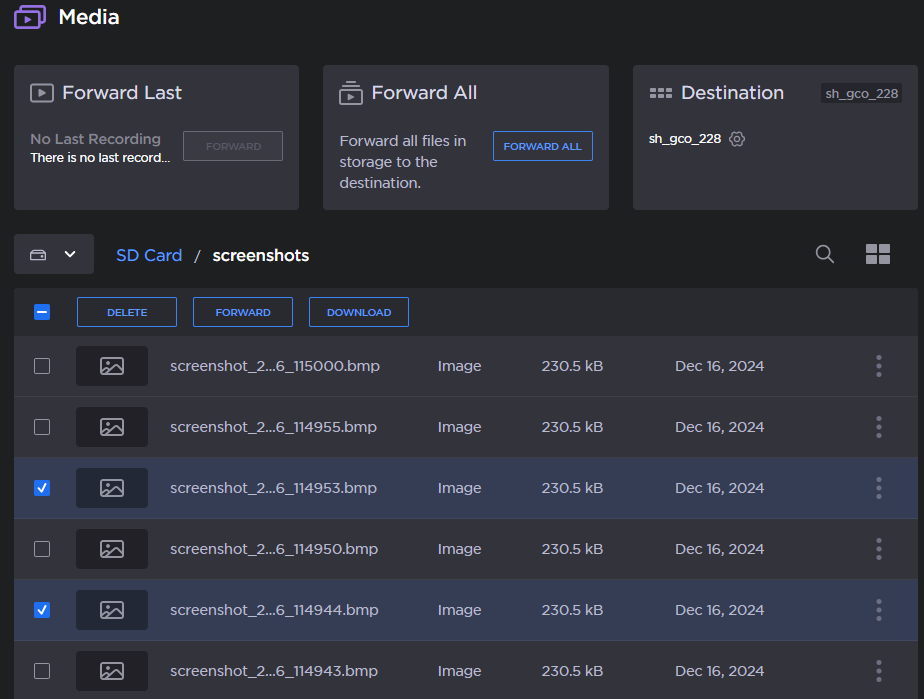
Click the Download button.
Your web browser downloads the selected files.
FTP Client
SD card files can be downloaded from an FTP client with the following credentials:
Username:
sdcardPassword:
sdcard

Note
You may also upload files to the SD card via an FTP client.