
Starting a Record

Note
Ensure that a microSD card is inserted before starting a record. This microSD card must not be in read-only (or locked) mode.
You may start a record via the unit panel, the web interface, or the camera's REC button.
To start a record:
From the Home menu, tap
 . The video preview appears on screen and the selected record profile is displayed.
When tapping or
or  , the Record menu displays additional information.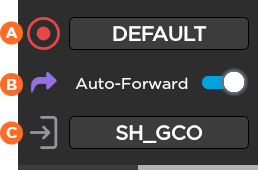
 Selected Record Profile
 Auto-forward (OFF/ON) Toggle Switch
 Selected Destination Profile
To select another Record profile:
Tap the field beside
 .
.Tap another Record profile.
To modify the Auto-forward mode:
Tap the toggle button.
To select another Destination profile:
Tap the field beside
 .
.Tap another Destination profile.
Tap
to start the Record. The video preview appears on the screen: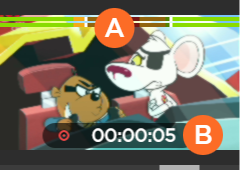 Audio bars indicating audio levels Record duration
Tap
to display more information about the record action.
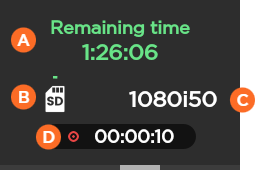
Remaining recording time possible on SD card Space used on SD Source Standard Record Duration
In case of a Record and simultaneous Forward, another screen appears when you tap on the unit panel:
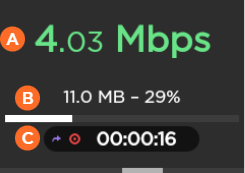
Network Bitrate Record Duration Amount and percentage of data already forwarded (if option enabled)
To stop the Record:
Tap
. Tap
 > Stop Record.
To stop the Forward:
Tap
.Tap
 > Stop Forward.
To start the Record:
On the Dashboard, in the Streams section, click the
 icon to check that the unit settings are configured and selected as required:
Note
If you enable the Auto-forward option, the video file is automatically forwarded during the record.
Click
 to start the Record.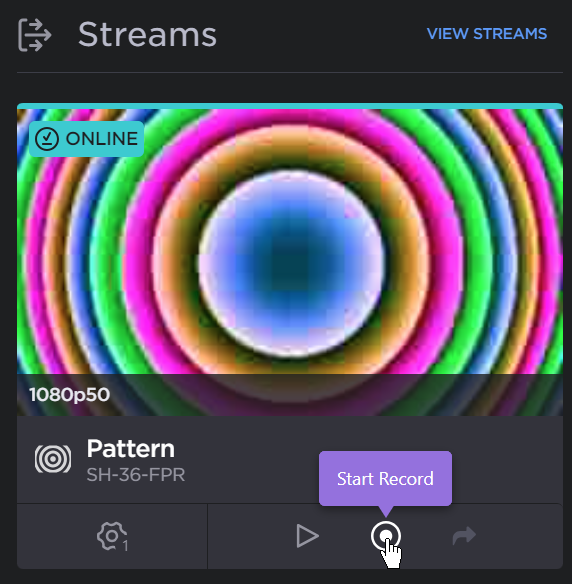
To stop the Record:
Click
.Confirm to stop recording.
To stop the Forward:
Click
.Confirm to stop forwarding.
Note
Before starting a record, make sure that the REC button, the Record profile, and the Destination profile have been configured. Please see Configuring the Camera's REC Button and Adding a Record Profile.
Press the camera's REC button.
The Record is in progress.