
Starting a Record
From the Home menu, tap the field beside
 .
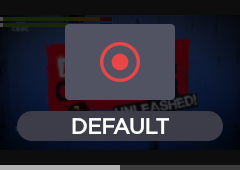
.
Tap
 to go to the RECORD menu. The Record menu displays information: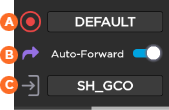
 Selected Record Profile
 Auto-forward (ON/OFF)
 Selected Destination Profile
Tap
 and to start a Record.
Tap
for more indications, some are displayed as follows: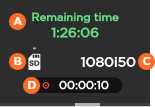 Remaining time possible on SD card Space used on SD card Source standard
 Duration of record

Note
During a Record and Forward, different indicators appear:
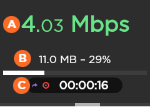
Network Bitrate Amount and percentage of data already forwarded Duration of record