Configuring Forward Settings
The Forward function offers three possibilities:
Forwarding one or several files saved on a mass-storage device.
Forwarding all files saved on a mass-storage device.
Forwarding the latest recorded file.

Note
Mass storage can be microSD cards and USB storage devices.
From the Home menu, tap
 .
.Tap
 and select
  .
.Tap


Note
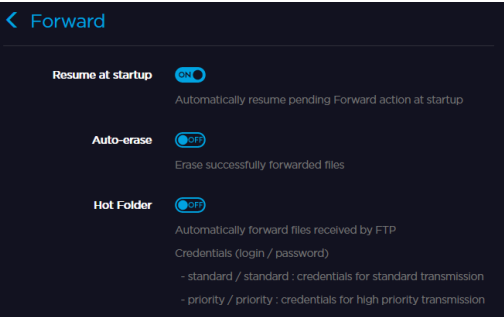
Resume at Startup: If any forward is still in progress when the unit is turned off, it is resumed when the unit is started up.
Auto-erase: All successfully forwarded filed are automatically deleted when the forward is complete.
Hot Folder: Files coming from a camera are automatically transmitted via an FTP server.
Click Settings > Forward.
Click