
Adding an APN to the Database
Add and configure new APN settings to suit your requirements, so that they can be easily selected from the list.
From the web interface, click Network > APN.
Click Add.
Enter a Name.
Fill in the parameters fields (MCC, MNC, and APN).

Note
Click on 
Enter a Username and a Password if required.
Click on Apply.
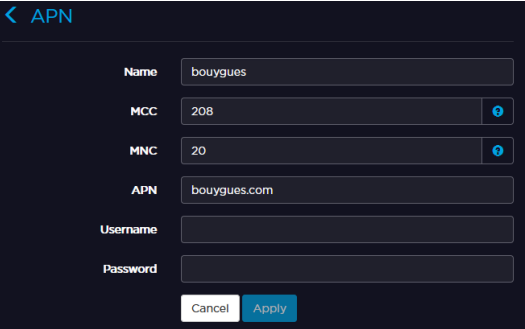
The new APN appears in the APN database, and you can select it from the scrolling list when configuring a cellular interface operating within the same network.