
Starting / Stopping a Live (MultiMode)
You can start a live manually via the unit panel, web interface, or camera or you can enable the Auto-live at startup. See Enabling / Disabling Auto-Live at Startup.
To start a live:
From the Home menu, tap
 . The video preview appears on screen and the live profile selected is displayed. When tapping
  or
or  , the Live menu displays additional information for each encoder.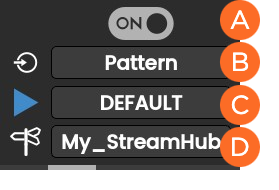
 Enable Encoder
 Selected Source
 Selected Live Profile
 Selected Destination Profile

Note
Video source must be all SDI or all Pattern.
All inputs must have the same resolution and the same frame rate.
You can modify settings before starting the Live action:
To select another Source:
Tap the
field.
Tap another source.
To select another Live profile:
Tap the
 field.
Tap another Live profile.
To select another Destination profile:
Tap the
 field.
Tap another Destination profile.
Tap
 to start the Live for all encoders. Video previews appear on screen.
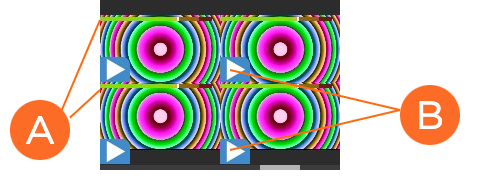 Audio bars indicating audio levels Live icon blinking means that a live is running
Tap an encoder to display more information.
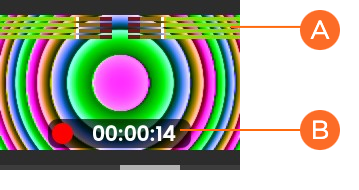 Audio bars indicating audio levels Live duration
Tap
to display some indications about the Live action: 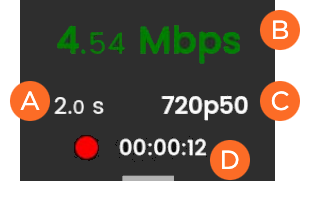 End-to-end Latency configured in the Live Profile or modified remotely from StreamHub interface Network bitrate Source standard Live duration
Note
See the StreamHub User Guide to set another delay during Live operation.
To stop the Live for all encoders:
Tap
.Tap
 .
.Tap
 to confirm.
To stop the Live for a single encoder:
Tap the preview of the encoder that you want to stop.
Tap
.Tap
 .
.Tap
 to confirm.
To start a live:
Click
 .
.For each encoder, check that the settings are configured and selected as required:
Video Source
Live Profile
Destination Profile
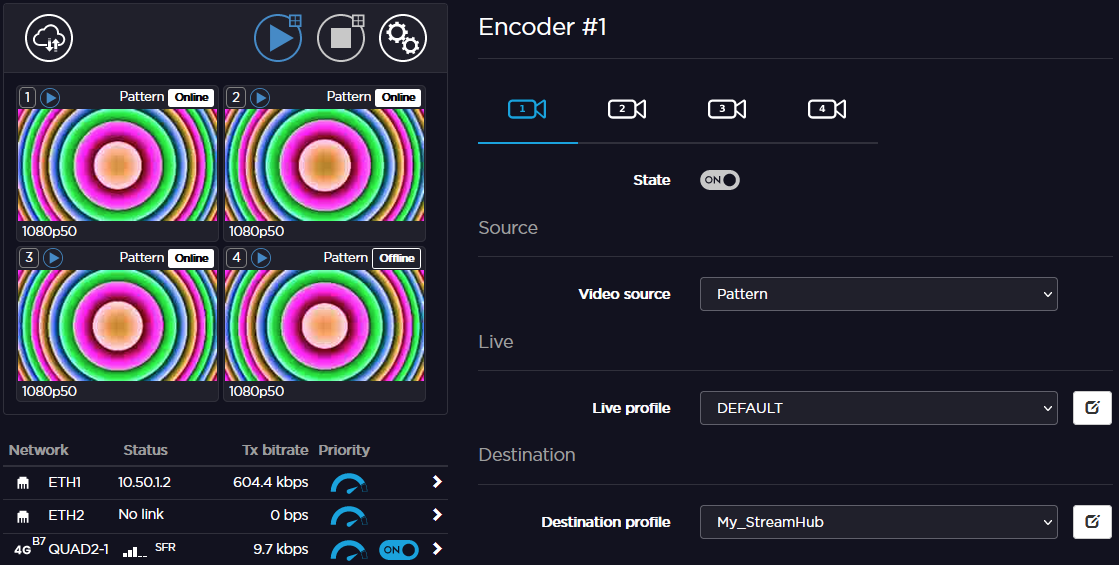
Note
Video Source must be all SDI or all Pattern.
All inputs must have the same resolution and the same frame rate.
Click
to start the Live for all encoders.
To stop the Live:
Click
. A  popup appears.
Click
or the icon to stop the video transmission.
Note
Before starting a live, make sure that the REC button, the Live profile, and the Destination profile have been configured. Please see Configuring the Camera's REC Button and Configuring Live Profiles.
To start a live:
Press the camera's REC button.
The Live is in progress.