Selecting a Cellular Operator
To select a cellular operator from the Unit Panel, or from the Web Interface, see the sections below.
From the Home menu, click on
 > MOD >
  > Operator.
Set the toggle button to
 to disable Automatic mode. A scan for available operators starts. It may take a few minutes.
Click on the desired operator.

Note
Only white operators in the list can be selected.
Click on
 to save.
From the Home screen, click on a modem line.
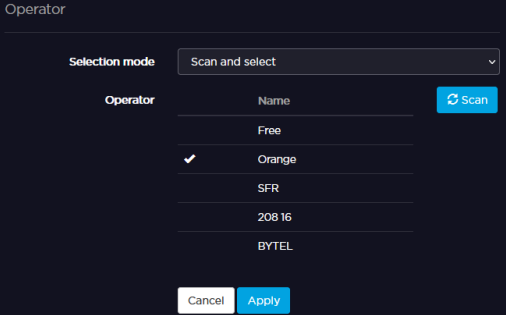
In the Selection mode scrolling list, select Scan and select.
Select the desired operator from the list.
Note
Only white operators in the list can be selected.
Click Apply.