
Enabling / Disabling Bluetooth
External audio inputs can be added via Bluetooth to be used with the intercom. For more information on the intercom, see Using the Intercom.
To enable or disable a cellular modem from the Unit Panel, or from the Web Interface, see the sections below.
From the Home menu, tap
 > BT.
> BT.Tap
 to enable Bluetooth.
Once Bluetooth is enabled, you can:Tap
 to display all nearby devices and tap on the device to be paired.
Tap
 to display previously paired devices and tap on the device you wish to pair with.
From the web home screen on the BT line, click
 to enable Bluetooth.
Click the BT line to view discovered Bluetooth devices.
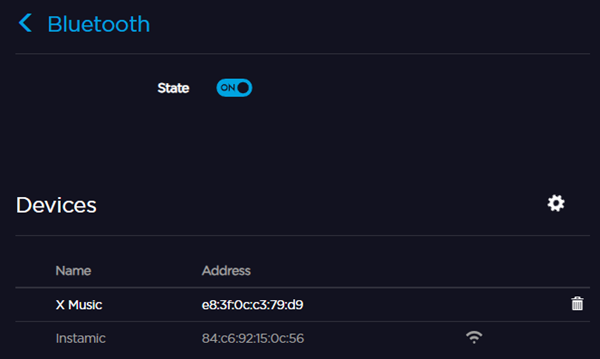
Click a device to connect to it. Or, click the
 icon to forget a device.